> ## Documentation Index
> Fetch the complete documentation index at: https://docs.shipsec.ai/llms.txt
> Use this file to discover all available pages before exploring further.
# Introduction
> Open source, no-code security automation platform for security teams
**ShipSec Studio** is the open source, no-code security automation platform for security teams. Design reusable security workflows, see every run unfold live, and keep humans in the loop with opinionated guardrails.
 ## Why ShipSec Studio?
* **No code required** – Build powerful security workflows by connecting components visually. No scripting, no glue code, no maintenance headaches.
* **Built for security teams** – Pre-built components for subdomain discovery, vulnerability scanning, secret detection, and more. Focus on security, not infrastructure.
* **Workflows that don't fail silently** – Automatic retries, resumable executions, and real-time log streaming, giving visibility into every step. Know exactly what's happening and why.
* **Self-hosted and open source** – Your data stays on your infrastructure. Run it on a laptop or scale to production with the same codebase.
* **Secure by default** – Encrypted secrets, isolated container execution, and team-based access controls built in from day one.
## Product Tour
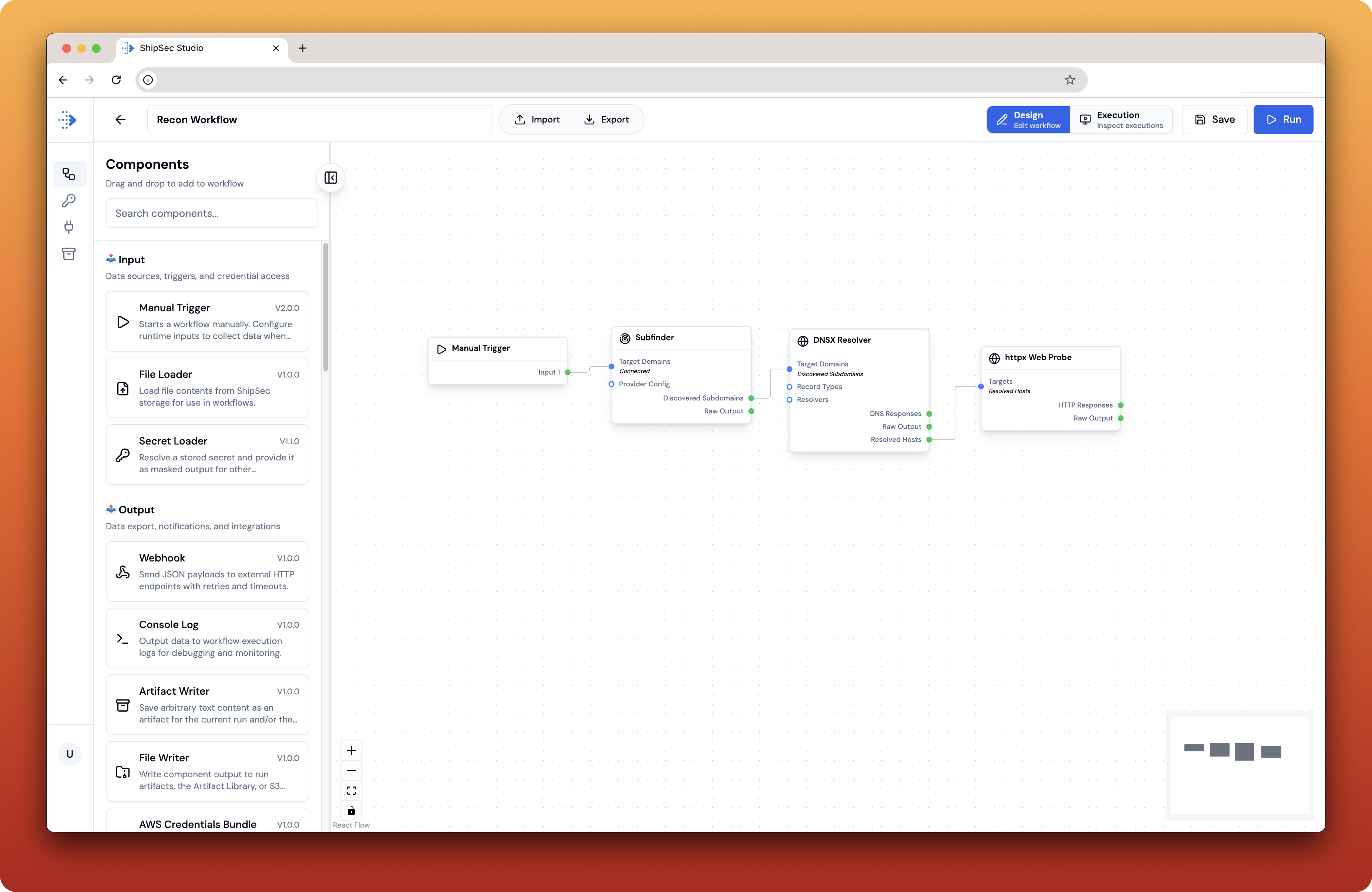
Visual drag-and-drop editor for building security workflows
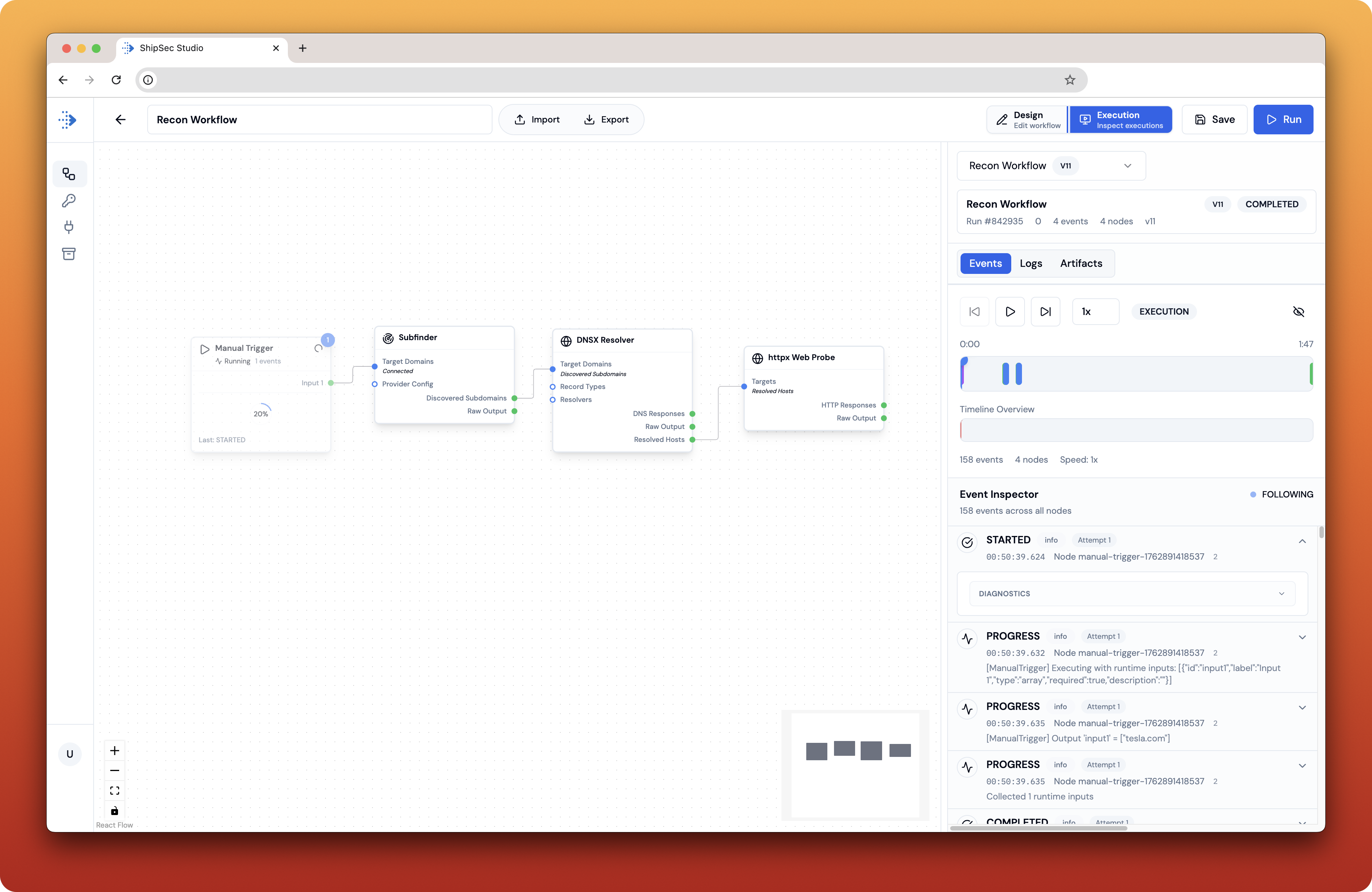
Watch workflow execution unfold in real-time with streaming logs
## Why ShipSec Studio?
* **No code required** – Build powerful security workflows by connecting components visually. No scripting, no glue code, no maintenance headaches.
* **Built for security teams** – Pre-built components for subdomain discovery, vulnerability scanning, secret detection, and more. Focus on security, not infrastructure.
* **Workflows that don't fail silently** – Automatic retries, resumable executions, and real-time log streaming, giving visibility into every step. Know exactly what's happening and why.
* **Self-hosted and open source** – Your data stays on your infrastructure. Run it on a laptop or scale to production with the same codebase.
* **Secure by default** – Encrypted secrets, isolated container execution, and team-based access controls built in from day one.
## Product Tour
Visual drag-and-drop editor for building security workflows
Watch workflow execution unfold in real-time with streaming logs
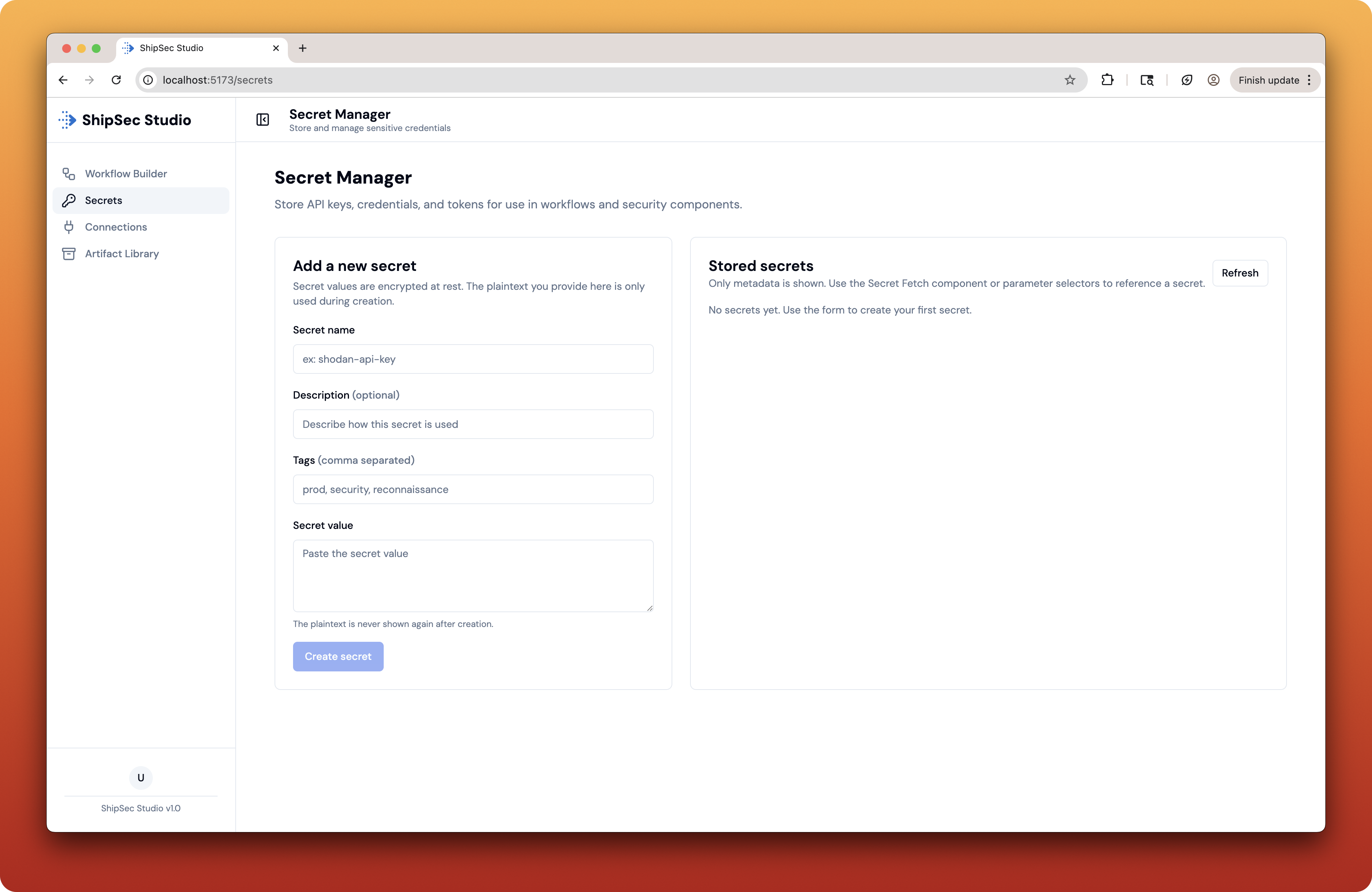
 Secure storage for API keys and credentials
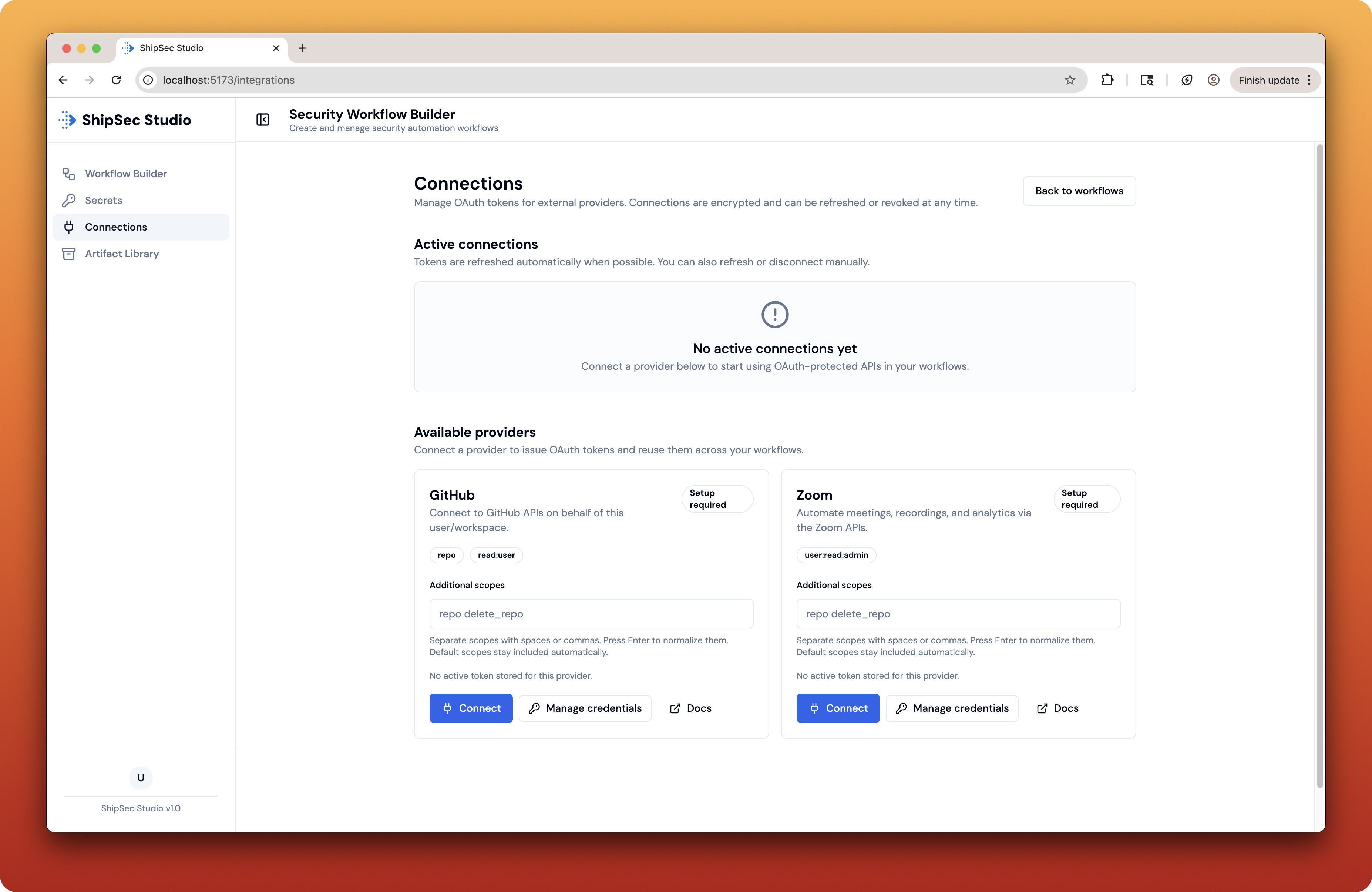
 Integrate with external services and APIs
 ## Get Started
Get up and running in 5 minutes
Self-host on your own infrastructure
Understand the system design
Explore available components
## Technology Stack
| Layer | Technologies |
| ------------------ | ----------------------------------------------------------------------- |
| **Frontend** | React 19, TypeScript, Vite, Tailwind CSS, Radix UI, ReactFlow, xterm.js |
| **Backend** | NestJS, TypeScript, Bun runtime, PostgreSQL, Drizzle ORM, Clerk Auth |
| **Worker** | Node.js, TypeScript, Temporal.io, Docker containers |
| **Infrastructure** | PostgreSQL, Temporal, MinIO, Redis, Loki, Redpanda (Kafka) |
## Need Help?
* **Support** – [support@shipsec.ai](mailto:support@shipsec.ai)
* **GitHub** – [github.com/shipsecai/studio](https://github.com/shipsecai/studio)
## Get Started
Get up and running in 5 minutes
Self-host on your own infrastructure
Understand the system design
Explore available components
## Technology Stack
| Layer | Technologies |
| ------------------ | ----------------------------------------------------------------------- |
| **Frontend** | React 19, TypeScript, Vite, Tailwind CSS, Radix UI, ReactFlow, xterm.js |
| **Backend** | NestJS, TypeScript, Bun runtime, PostgreSQL, Drizzle ORM, Clerk Auth |
| **Worker** | Node.js, TypeScript, Temporal.io, Docker containers |
| **Infrastructure** | PostgreSQL, Temporal, MinIO, Redis, Loki, Redpanda (Kafka) |
## Need Help?
* **Support** – [support@shipsec.ai](mailto:support@shipsec.ai)
* **GitHub** – [github.com/shipsecai/studio](https://github.com/shipsecai/studio)